VIRTUAL TRY-ON FOR IPHONE
Try it on before you buy it.
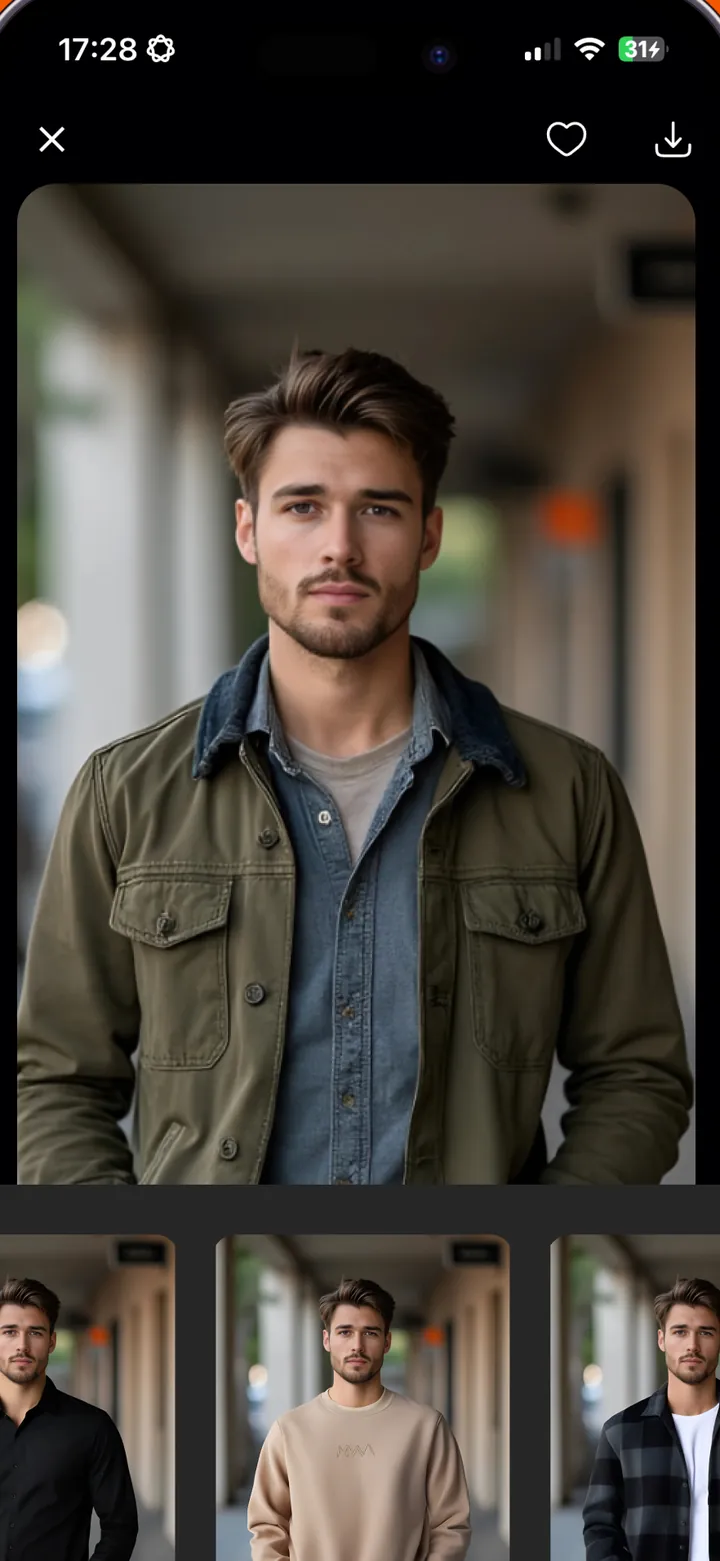
Upload a photo of yourself, pick a jacket, shirt or dress, and Dressy shows how it looks on you. Your try-ons stay in a wardrobe on your phone.

Features
TRY ON
You plus any garment
Choose a photo of yourself, add a picture of the clothing item, mark it as a top or bottom, and write a short description such as "olive jacket". Dressy puts the garment on your photo.
WARDROBE
Every try-on, saved on your phone
Finished looks are kept in your Wardrobe, which you can filter by Favorites, Top and Bottom. Tap the heart to favorite a look, or delete one you no longer want.
SAVE AND SHARE
Send a look to a friend
Save a result to your Photos or share it from the app to get a second opinion before you buy.
PHOTO CHECK
A photo check before every try-on
The app checks that your photo shows exactly one face, and it moderates the photos and the result so that only everyday clothing is used. Photos of minors and revealing or sexual images are refused.
How it works
How it works, in three steps.
-
Add your photo
Take a photo or choose one from your library. Use a front-facing photo with one person, which should be you or someone who has agreed.
-
Add the clothing
Add a photo of the jacket, shirt, dress or other item, choose Top or Bottom, and describe it in a few words.
-
Generate and keep
Tap Generate. The result is saved to your Wardrobe, where you can favorite it, save it to Photos or share it.
Details
The details, worth knowing.
-
Wardrobe stays on your device
Your photos, garments and results are stored on your iPhone, not on a Dressy server.
-
Clear about AI partners
Photos are sent to Replicate to build the try-on. The app asks you to agree before the first one and deletes the uploaded files when it finishes.
-
Everyday clothing only
Dressy declines swimwear, underwear, revealing outfits and photos of minors.
-
No ads, no sign-up
There are no ads in the app and no account or email address to create.
-
Eight app languages
The app is available in English, German, Turkish, Spanish, French, Italian, Russian and Hindi.
Pricing
What it costs, in plain words.
Dressy is free to download. Creating try-ons needs a Dressy Pro subscription, which you buy inside the app.
- Plans, lengths and prices are shown on the purchase screen in your local currency before you confirm.
- Payment is charged to your Apple Account and renews automatically unless you turn it off at least 24 hours before the period ends.
- Manage or cancel any time in iPhone Settings under Subscriptions, and use Restore in the app if you change device.
- Results are AI illustrations. Fit and colour can differ from the real garment.
Do I need to pay to use Dressy?
The app is free to download, but generating a try-on requires a Dressy Pro subscription. You can see the plans and prices on the purchase screen inside the app before you confirm.
Where do my photos go?
To create a try-on, the app uploads your photo and the garment photo to Replicate, an AI hosting service, and gets the result back. The photos are also moderated by models running on Replicate. The app asks Replicate to delete the uploaded files when it finishes. The finished try-on is stored on your phone. See the Privacy page for the full list.
How do I delete my try-ons?
Open Wardrobe, long-press the outfit and choose Delete. That removes the outfit and its stored photos from your phone. To delete the small records we keep in Firebase, email apps@meliharik.dev.
Why was my photo declined?
Dressy only supports everyday, fully covering clothing and photos of adults. It declines photos that show swimwear, underwear, revealing or sheer clothing, sexual content or someone who appears to be under 18. It also declines an image when the check cannot be completed, so a weak connection can cause it. Try a different photo or try again.
Does the result show exactly how the clothes will fit?
No. Results are AI illustrations. Fit, size, colour and texture can differ from the real garment, so do not use a result alone to choose a size.
The try-on failed or never finished. What now?
Check your connection and try again. If it keeps failing, try a clearer front-facing photo with one person, and a garment photo with a plain background. Then email us if it still fails.
How do I cancel or restore my subscription?
Cancel in iPhone Settings, then your name, then Subscriptions. Restore a purchase from the Settings tab in Dressy. Refund requests go to Apple at reportaproblem.apple.com.
Can I use a photo of someone else?
Only if that adult has agreed. Never upload photos of children.

Get Dressy for iPhone.
Upload a photo of yourself, pick a jacket, shirt or dress, and Dressy shows how it looks on you. Your try-ons stay in a wardrobe on your phone.